Features for IRender nXt
| New Plant and Material libraries | |
| Over 6,000 materials and 40 RpTreeMaker plants. |
Materials from new library. |
| Arroway Textures | |
|
Arroway Textures
is a manufacturer of high-res textures, which are used in many areas of digital visualization, e.g. architecture, design and art.
Arroway has made about 100 low-res versions of their textures available to IRender nXt users.
|
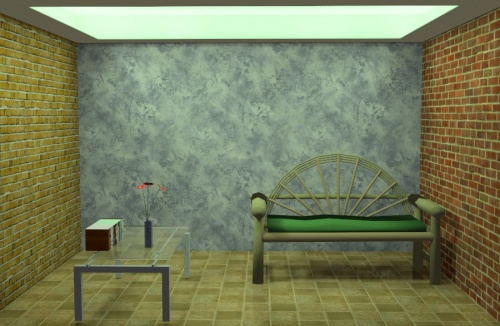
Room with Arroway Textures on walls and floor. |
| Material Wizard | |
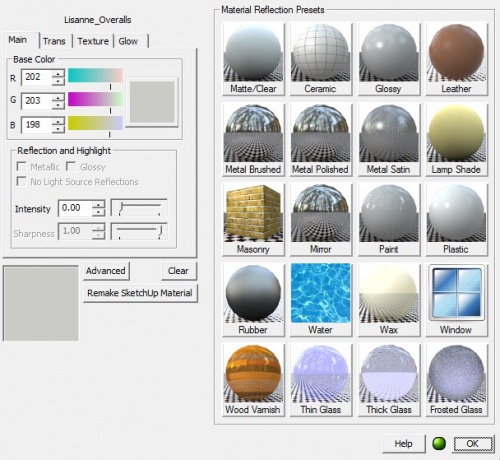
| The IRender Material Wizard makes it easy to create and edit materials.
Most common rendering settings for materials can be made quickly in the Material Wizard.
|
Default tab of Material Wizard. |
| nXt Image Editor | |
| The nXt Image Editor is used for Post-Processing images after the rendering has been completed.
[[Real Time Haze], Depth Blur , Lighting Channels , save as Piranesi format, save as HDRi.
|
Real Time Haze adjustment in nXt Image Editor. |
| Panoramic Views | |
| A Panoramic image is created by rotation the camera while rendering to create a full 360 x 360 degree image.
Clients can view the flash movie made from the Panoramic image.
|
Panoramic image of interior created using IRender nXt. Model courtesy of Boothy.. |
| Lighting Channels | |
|
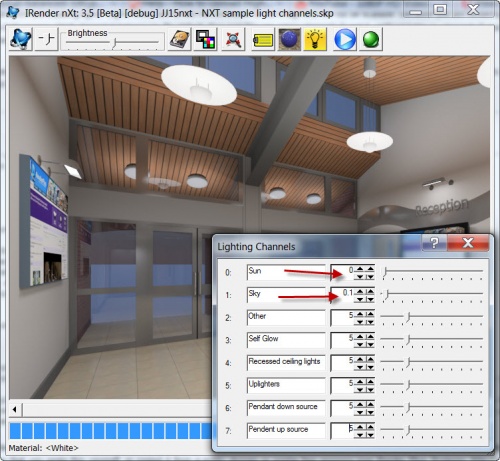
By assigning channels to sun, sky, and groups of lights, you can quickly adjust the intensity of each channel with a slidebar and immediately see the effect on the final rendering. This will save time both in determining the relative intensities to use for light sources and in fine tuning the final image before publication.
|
Spotlight adjusted after rendering. |
| Visible Light Paths | |
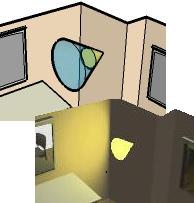
View spot light beams as if shining in a hazy room.
|
Visible Light Paths. |
| Depth of Field and Depth Blur | |
|
Depth of Field
and Focal Distance settings create renderings with areas in sharp focus and areas out of focus.
Depth Blur can also be defined as a Post-Processing technique in the nXt Image Editor .
|
Depth of Field set to 1.0, Focal Distance 100' |
| Real Time Haze | |
Real Time Haze
adds haze and fog effects, after rendering, in a post process.
|
Haze added to a lighthouse scene. |
| Advanced Reflection Properties | |
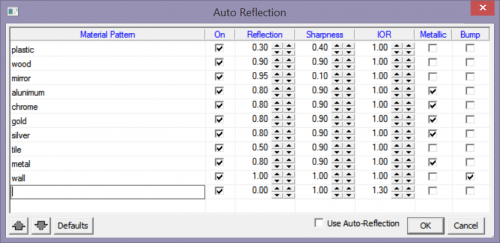
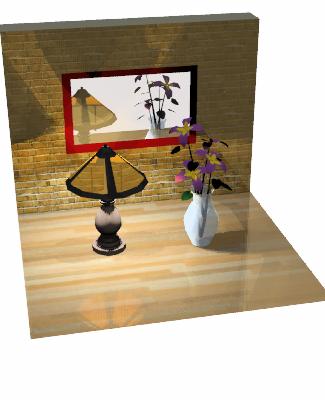
IRender nXt allows additional reflection settings - such as allowing you to set both the reflection and sharpness of the reflection.
|
Mirror and glossy wood surface. |
| Animation | |
Animation or your IRender nXt image is created by rendering scenes, moving the camera, and rendering the next frame.
|
Animation movie. |
| Arroway Textures | |
|
Arroway Textures
is a manufacturer of high-res textures, which are used in many areas of digital visualization, e.g. architecture, design and art.
Arroway has made about 100 low-res versions of their textures available to IRender nXt users.
|
Room with Arroway Textures on walls and floor. |
| Auto Reflection | |
Auto
Reflection
makes materials with words like metal or plastic in them reflective.
|
Bathroom with reflective materials. |
| Batch Rendering | |
| Batch Rendering is a rendering mode which exports the model to a file, and then renders the file in a separate process.
It has 3 main uses and benefits.
|
Batch Rendering setup dialog. |
| Caustics | |
produces focused light and shadow effects from light passing through a transparent object.
|
Caustic Refraction through glass. |
| Clay Rendering | |
Clay Rendering
is used to show the details of your model without adding colors or textures. This feature renders the SketchUp model in black and white.
|
Clay Rendering. |
| Daylight Portals | |
| a special transparent face placed over an exterior opening or window which causes exterior light to be processed better.
The left half image on the left has a normal (non-Daylight Portal) opening. It took hundreds of passes to resolve properly. The right half has openings marked as Daylight Portals. The lighting looked this good after just a few passes. In IRender nXt, Daylight is a set using the Material Wizard .
|
Daylight effect through windows. |
| Depth of Field | |
|
Depth of Field
and Focal Distance settings create renderings with areas in sharp focus and areas out of focus.
Depth Blur can also be defined as a Post-Processing technique in the nXt Image Editor .
|
Depth of Field set to 1.0, Focal Distance 100' |
| Ground Cover | |
Ground Cover
- define Ground Cover for use on the ground or on topiary bushes.
|
Ground Cover definition wizard' |
| Edge Highlighting | |
|
Edge Highlighting
displays the edges of faces while
rendering
. This is especially valuable with scenes which contain cabinets or furniture where edge highlighting is necessary to bring out the detail of the components.
In IRender nXt edge highlighting is turned on in the Advanced Settings dialog.
|
Cabinet with edges rendered. |
| Indirect Lighting | |
|
Indirect Lighting
refers to the IRender nXt feature of processing light reflected from mirrors and other surfaces.
This creates a realistic lighting effect which improves with each successive rendering pass. Indirect should be used with most interiors scenes to soften the lighting effects.
|
Incorporate the effects of reflected light, such as the reflected cove lighting above this suspended ceiling. |
| Laptop Seat | |
| An additional license for your laptop is included with IRender nXt or the
Combo Pack
at no additional charge.
(Laptop seats are available for nXtRender, and other Render Plus products at an additional charge)
|
Get a free Laptop Seat with IRender nXt. |
| Lighting Channels | |
|
By assigning channels to sun, sky, and groups of lights, you can quickly adjust the intensity of each channel with a slidebar and immediately see the effect on the final rendering. This will save time both in determining the relative intensities to use for light sources and in fine tuning the final image before publication.
|
Spotlight intenstry adjusted using Lighting Channels |
| Material Wizard - advanced features | |
| Sets multiple settings for a single material - such a setting both transparency and index of refraction for glass materials.
|
Transparency settings in Material Wizard. |
| nXt Image Editor | |
| additional rendering effects, added a post processing after the rendering is complete.
[[Real Time Haze], Depth Blur , Lighting Channels , save as Piranesi format, save as HDRi.
|
Using Lighting Channels to adjust spotlight intensity. |
| IRender nXt Tutorial - Materials|nXt Material Library | |
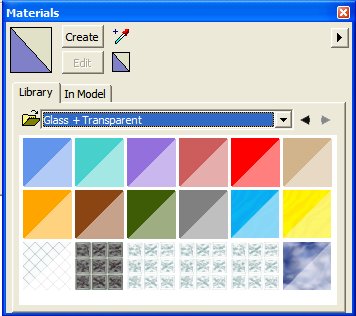
| more than 5,000 materials in library. Some of these materials are "Solid" - such as the solid wood materials - which don't repeat and work better with sculpted surfaces.
Create SketchUp materials which automatically render as IRender nXt materials. |
Solid wood material on chair. |
| nXt Plant Library | |
| more than 500 plants in library. These are 'fractal' plants - meaning that detail is relative to the resolution of your image. Each plant is generated differently which automatically creates a realistic effect when using multiple instances of the same plant.
Create SketchUp components to represent IRender nXt plants. These are then automatically rendered as 'fractal' plants.
|
Juniper plant from plant library |
| Object Properties | |
| set special lighting, transparency and rendering properties of groups, components and faces.
Object Properties can be used to make any face or object act as a light source, or to set other special properties.
|
Object Properties Settings dialog. |
| Procedural Bump Maps | |
can be used to give your material (with or without textures) a different appearance.
|
Pyramid and Sandpaper bump maps.
A wrinkle bump map used to emulate water. |
| Real Time Haze | |
| Post Processing to set haze and fog effects.
These effects can be modified after the rendering is completed.
|
Haze added to lighthouse scene. |
| Rendering Editor | |
| Set options and edit materials directly from the rendering window.
Double click on a material in the rendered image to edit the material. Reload modified materials back into SketchUp model.
|
Batch Rendering Material Editor |
| RPC Objects | |
Place RPC components in your SketchUp model which automatically render as RPC objects.
|
RPC people rendered with IRender nXt |
| Section Planes | |
You can use SketchUp Section Planes to cut sections through your
IRender nXt
model.
|
Section Plane cutout rendering. Front wall is sectioned out, but still used for lighting, shadows and reflections. |
| Watermarks | |
Watermarks
- are used to place logos, foregrounds images, or texture maps in front of your rendering.
|
Foreground image places as a Watermark. |
These features are available in both nXtRender and IRender nXt ).
| Antialiasing | |
images are automatically anti-aliased during multiple rendering passes.
|
Zoomed in sample to show Anti-aliasing smoothing. |
| Automatic Bump Maps | |
|
AutoBump
- using SketchUp materials as bump maps as well as color images.
This is not quite correct, but can often create an interesting 3D effect.
|
SketchUp Brick material with auto-bump applied.
SketchUp Stone_Flagstone_Ashlar material with Auto Bump |
| Feature | |
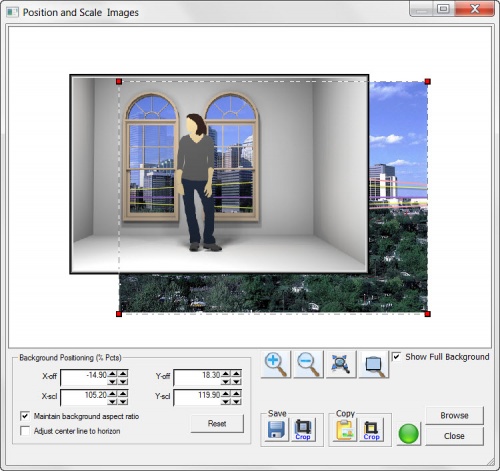
Background Images
are special images which you can place behind your model.
|
Use images for background. |
| External Rendering | |
| External Rendering exports the model to a file, and then renders the file in a separate process.
This allows you to make changes to the SketchUp model wihtout having to wait for the rendering to complete
|
Render on another CPU |
|}
| Feature | |
Foreground Images
are special images which you can place in front of your model. They can be used for logos and pattern masks, as well as stencils placed in front of the rendering.
|
Use images for foreground. |
| Fully integrated into SketchUp | |
| Automatically stores settings in the SketchUp model for re-use with next rendering. |
IRender nXt Toolbar |
| Feature | |
|
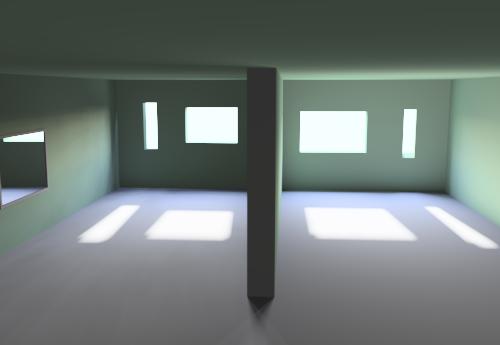
HDRi Skies
are special images to represent skies which contain extra information about intensities of the colors.
HDRi (high dynamic range imaging)is a set of techniques that allows a greater dynamic range of exposures (the range of values between light and dark areas) than normal digital imaging techniques. The intention of HDRi is to accurately represent the wide range of intensity levels found in real scenes ranging from direct sunlight to shadows. IRender nXt offers support for HDRi Skies - used as visible skies, as sky reflections and for illumination from the Sky.
|
HDRi skies for background, illumination and/or reflection. |
| IRender Ready Content | |
| Special collection on the Google 3D Warehouse for lights, mirrors and other components which are ready for use with IRender. |
IRender Ready content in 3D Warehouse. |
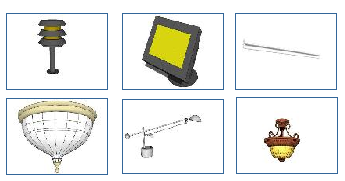
| Lamps and Light Fixtures | |
| Automatic use of SketchUp light fixture components. In addition there are Lamp Wizards to create new lamps and lamp components. |
Spotlight component - generated at proper size and angle. |
| Lighting Presets Tab | |
The Presets lets you choose predefined settings for the most common lighting situations. There are a lot of settings to create special lighting effects. The presets make it easier to get a good rendering without having to make all the setting manually.
|
Presets tab on Setup Wizard. |
| Material Wizard | |
| Applies reflection and transparency directly to SketchUp materials. Changes are made easily with a slider bar.
IRender nXt sets multiple settings for a single material - such a setting both transparency and index of refraction for glass materials.
|
Set reflection and preview material.
|
| Panoramic Views | |
|
Create a full 360 degree panoramic image which can be turned into a movie and embedded in a web page. A Panoramic image is created by rotation the camera while rendering to create a full 360 x 360 degree image.
|
Panoramic View (looks much better when viewed with an interactive viewer). |
| Reflections and Mirrors | |
|
Make any SketchUp material reflective with right click edit. |
Add mirrors and glossy surfaces. |
| Render directly from SketchUp | |
One click rendering from inside SketchUp and SketchUp Pro.
|
Click the green ball for one-step rendering. |
| RpTreeMaker | |
| Create custom, fractal, trees and plants. The quality of the tree is regenerated
when the tree is rendered.
|
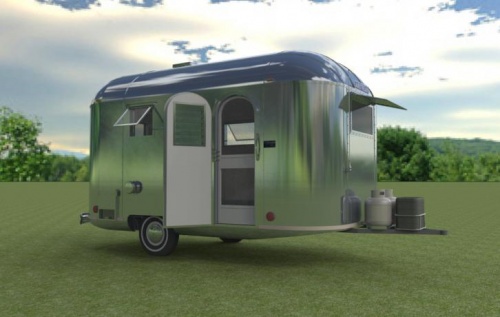
Tree placed in SketchUp and rendered wirh nXtRender/IRender |
| Self Glow | |
|
Self Glow
illuminates a surface as if it had light shining on it, without actually making it a light.
For objects which you want to appear bright, but which don't need to illuminate other objects, this is much faster than making lights out of them.
|
Television with 10% self-glow |
| SketchUp Components | |
SketchUp components are automatically scaled and rotated properly in IRender.
|
Place components in your model and render them. |
| SketchUp Materials | |
| SketchUp materials are automatically rendered as materials in IRender.
You can set reflection and other rendering properties by right clicking on a face containing a materiel to set its rendering properties.
|
SketchUp materials are automatically rendered with colors, textures and transparency. |
| Sun and Shadows | |
| Uses sun and shadow settings from SketchUp
plus Advanced Sun Settings from AccuRender dialogs. |
Shadows from lightse. |
| Translucency | |
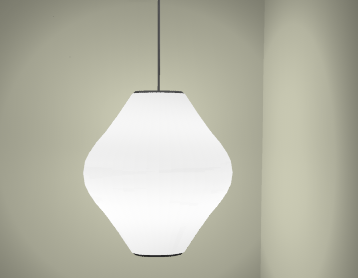
Allows light to pass through non-transparent materials.
|
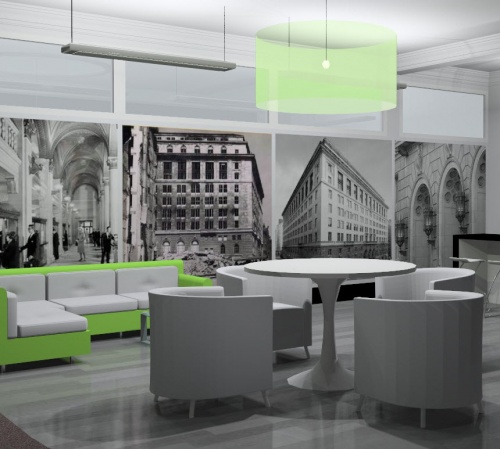
Translucent lamp shade. |
| Transparency | |
Uses SketchUp transparency settings. Includes refraction and lighting effects.
|
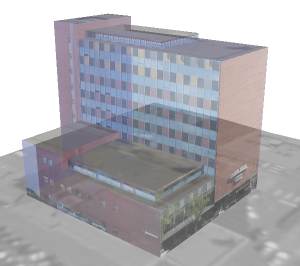
SketchUp transparency selected for entire model. |
| Two Point Perspective | |
| Keep vertical lines parallel while panning the view.
Perspective views set in SketchUp are retained while rendering.
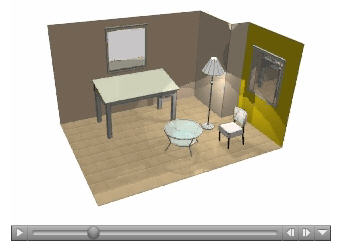
|
Two Point Perspective in SketchUp. |
| Visible Light Paths | |
View spot light beams as if shining in a hazy room.
|
Visible Light Paths. |