
Glow
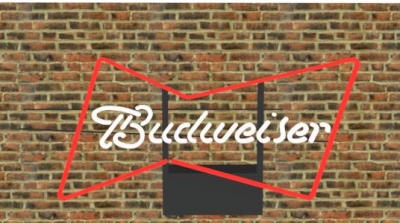
Bud Sign with glow in IRender nXt
Glow is a rendering term which means to define a material which appears to be illuminated by lights, even if it is in a shadow, or the lights are dim, as in a night scene.
Uses of Glow
Glow can be applied to windows which are illuminated from the inside of a building, neon lights, or other lights, such as a car tail light, which would look Photorealistic if they were self-illuminating, but do not need to cast light on nearby objects.
Sometimes a headlight or a taillight needs to have a lamp in it, so that it can illuminate the road, or other objects, but sometimes it is sufficient to apply a glow material instead.
Glow vs Using Lights
To be completely realistic, the user should place light sources inside each segment of the neon tubing, or inside every light of a car, and then use transparent materials for the tubing itself or the lens of the light, but the is sometimes excessive and unnecessary for most renderings.
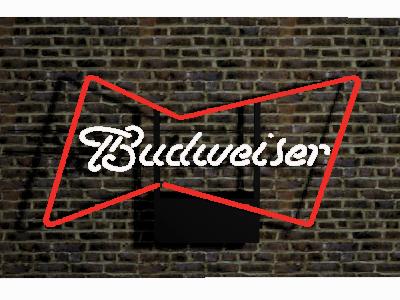
Model with 75% glow assigned to the neon letters. SketchUp 3D Model courtesy of Omega Signs Limited. Rendering performed with
IRender
.

Same model with no special glow.
Making an image glow

Television with 10% self-glow
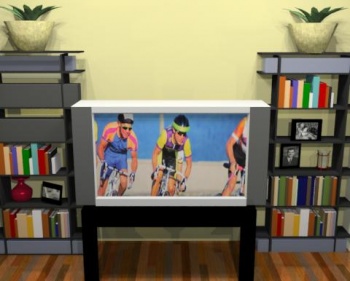
Television with no glow
You may have an object in your model which is backlit, or produces its own illumination, such as a television set. You can make it glow brighter or look more realistic by adding self-glow from the material editor.
Note: Items with self-glow will seem brighter, but will not illuminate other items in the room. If you wanted the television to illuminate a dark room, you would set it to be a light instead.
See:
Glow Tab