
SpaceDesign
SpaceDesign add-on for SketchUp helps you define attributes, create reports on SketchUp components, extend costs, product cutlists, and more.
Keywords:
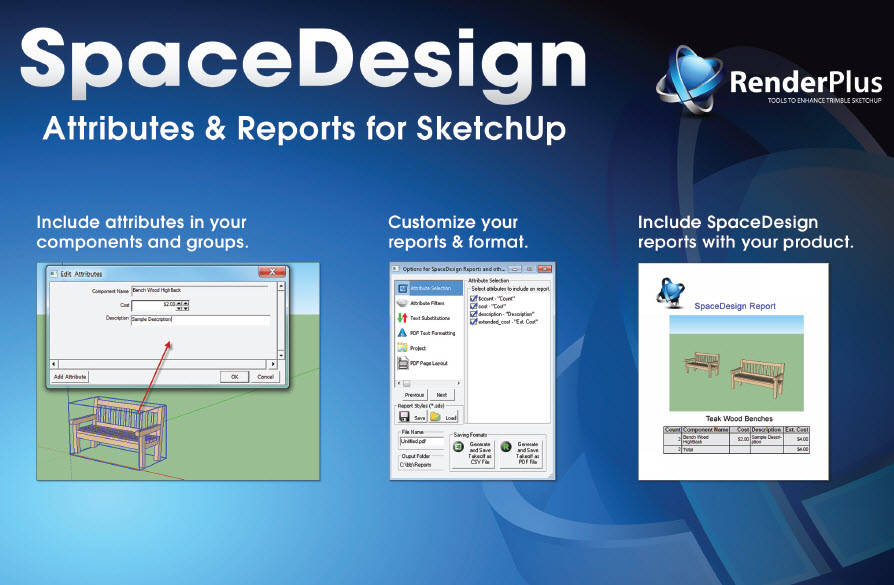
Although SpaceDesign can be used by individual users, it is designed for use by SketchUp Service Providers to enhance the products and services they provide to the SketchUp community.
- Component Makers can include attributes for reporting in their components.
- Ruby Developers can include attributes for reporting as part of the geometry they create.
- Model Makers can include attributes in their models
All providers can benefit from the enhanced value of their offerings, by making free versions of SpaceDesign available to their client's end users and/or including OEM versions of SpaceDesign as part of their offering.
What is it?
SpaceDesign is for Component Layout Tools, Attributes and Reports, Calculations and Information.
Who should use it?
3D Component Makers, Ruby Developers and SketchUp Model Makers.
Space Design is very powerful – allowing customization of attributes, calculations, reports, etc. – However that means it can be challenging for end users to get everything right for a custom report. It makes more sense if a SketchUp Service Provider sets up attribute definitions, report formats, etc. and then passes them on to the end user.
How to use it?
Include Attributes in your Components and Groups for reporting then include SpaceDesign as part of your final product.
Attributes and Reports

SpaceDesign is an add-on for SketchUp for defining attributes and creating reports from SketchUp components.
- report on Dynamic Component attributes.
- Add your own attributes and report on them.
- Combine and count components with similar attributes.
- Extend cost and other fields (multiply by quantity).
- Total extended cost and other fields.
Component Wizards
Component Wizards are a set of Wizards included in SpaceDesign and 3D Design Studio to make it easier to move, copy, rotate, mirror or scale components and other objects.
See: Component Wizards
Imaging Tools
- Save alpha-transparent images from SketchUp renderings
- Create alpha-transparent images by replacing background colors with transparent
- Save special SketchUp image - e.g. edge lines only.
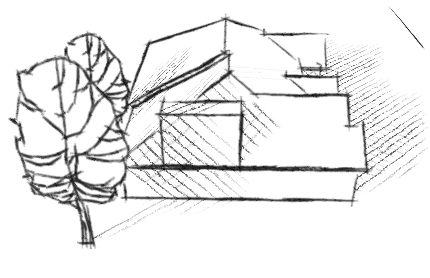
Non-PhotoRealistic Renderings
- Sketchy Shadows
- Soft Shadows
- Other Non-PhotoRealistic effects.
- See: Non-PhotoRealistic Tools
SpaceDesign is included in the 3D Design Studio and can also be purchased separately.
SpaceDesign can be very easy to use for simple reporting - such as a count and cost of components placed in a model.
It also has very powerful features - such as as length, area and volume calculations which can create more complex reports, but will also be a little harder to use.
Problems - Contact Us - Don't Give Up
If you are trying SpaceDesign for the first time, and have problems, Don't Give Up.
- Between the combinations of SketchUp versions, Windows versions, and machine types, sometimes somethings goes wrong. It anything is not working, don't give up. Let us know.
- If you have problems with downloads or installation, contact us right away at Render Plus Support Email.
- If you have other problems, or questions on how to use IRender nXt, place them on our SpaceDesign Forum.
- Download Problems - If the download doesn't start, try again. Sometimes our download service gets messed up, If is still doesn't start email us and we will send you a direct link to try.
- Installation - During installation, you need to select the proper version of SketchUp. If you have problems contact us right away.
- SketchUp Toolbar - If the application does not appear on the SketchUp tool bar - look under plugins. If there is an entry called SpaceDesign Load', click it.
- Other Problems - - Contact Us - Don't Give Up.
Downloads and Installation
We offer a free 30-day trial for any of our products. These are fully functional versions, with no watermarks added to indicate that it is a trial version.
Follow the links on the Downloads Page to download the latest version.
See also
SpaceDesign: