
Material Wizard
The IRender Material Wizard makes it easy to create and edit materials.
Keywords:
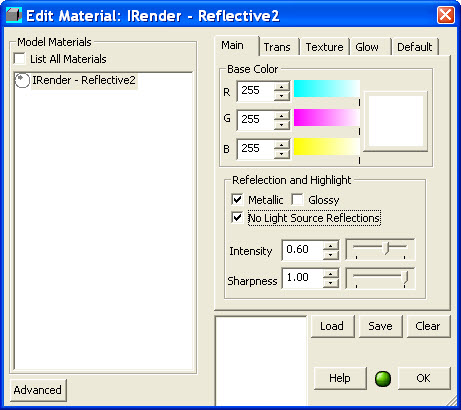
IRender nXt Material Wizard
| |||||
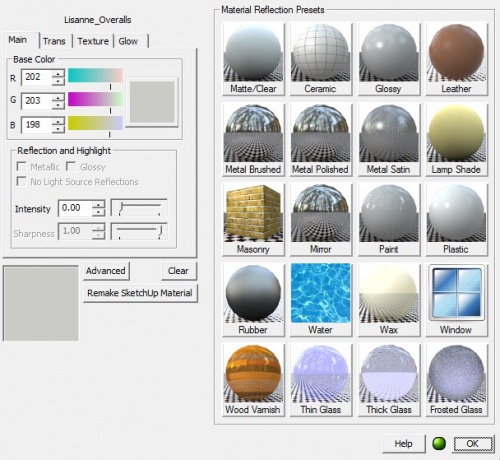
Most common rendering settings for materials can be made quickly in the Material Wizard.
For more advanced settings, or to see a preview of your settings, use the Advanced Material Editor .
The Material Wizard is invoked by right clicking on a SketchUp entity which can have a material, and selecting: IRender: Create or Edit Material. (If it does not have a material yet, a new one will be created.)
It is also invoked from the Select Material wizard which allows you to select SketchUp materials, add them to you model, and edit their rendering properties - All before placing the materials on faces.
Material Reflection Presets
For many standard materials, you can use one of the Material Reflection Presets on the right of the Material Wizard:
- Matte - no reflection, transparency or special properties.
- If you already have made reflection settings, you can use Matte to reset reflection settings before selecting a new default.
- Thin, Thick or Frosted Glass - Select one of these for transparent materials.
- Thick Glass is used if you have faces for both or all sides.
- Other Presets
- Select other materials which match the effect you are trying to achieve.
Main Tab
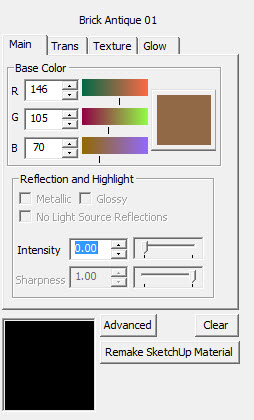
Base Color - set the color or materials without a texture.
Reflection and Highlight' The two sliders combine to define the amount of reflection and the sharpness of reflection.
Metallic - highlight are reflected in the color of the reflective material.
- (Otherwise highlights are reflected in white)
- See: Metallic Reflection
Glossy - highlights are other reflections are blurry.
- See: * Glossy Reflection
No Light Source Reflections - does not show reflections of lights.
Intensity of the reflection. 1.000 is fully reflective.
Sharpness - values less than 1.000 create blurry reflections
See also
Transparency Tab
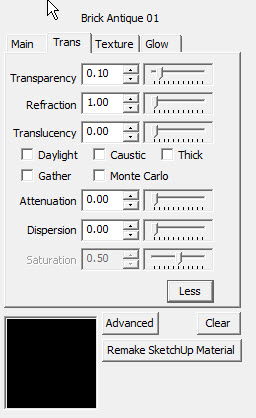
- Transparency - this will be used to set the transparency in SketchUp as well.
- Refraction this is the amount that light is distorted as it passes through thick glass.
- Translucency allows light to pass through the material, but not visibility - as with a lamp shade.
Special Properties
- Daylight defines any face containing this material as a Daylight Portal - which does a much better job of rendering sunlight and sky which illuminates interior scenes.
- Caustic - defines the material as caustic which produces prism like effects when light passes through the material.
- Thick defines the faces containing the material as thick. This should be used whenever more than a single face is used to define glass - separated by a distance to represent the thickness of the glass. See: Thin - Thick
- Gather - sets a special light dispersion mode. (We haven't seen a good example of this working yet.)
- Monte Carlo - sets a special light dispersion mode. (We haven't seen a good example of this working yet.)
More Sliders
Click the More button to display additional special transparency settings:
- Attenuation
- Dispersion
- Saturation
Texture Tab
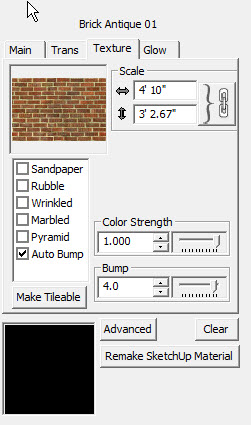
Sets special bump effects.
Each bump effect has special settings which define it.
- Auto Bump
- the Bump strength should be between -5.0 and 5.0
- The Color strength defines how much of the color of the bump texture is used as part of the material definition. For pure bump maps, (which define the depth of the material, but not the pattern), this should be 0. If you are using a texture - such as stucco - as both a texture and a bump map, you should set this to 1.
- See: Automatic Bump Maps
- Procedural Bumps There are 5 procedural bumps which can be used to give your material (with or without textures) a different appearance.
- Each Bump type has parameters to change its size, etc.
- See: Procedural Bump Maps
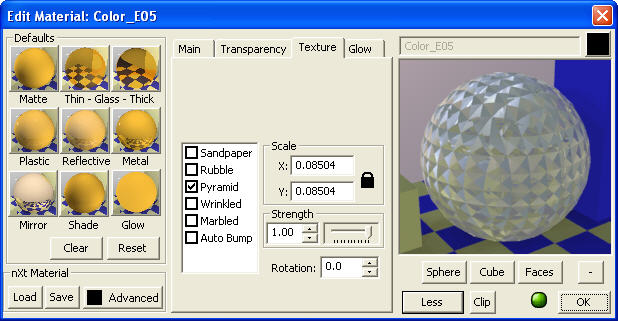
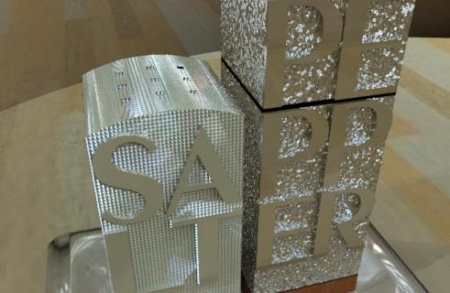
A Pyramid bump was applied to the salt shaker, and a sandpaper bump was applied to the pepper shaker.
Glow Tab
| |||||

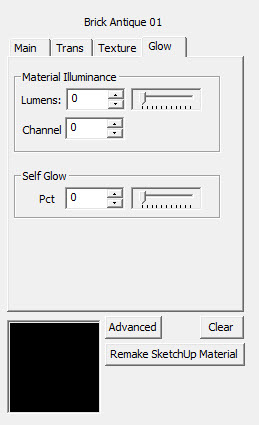
Defines a material which glows with Self Glow, or acts as a light with Illumination.
- Illuminance - the faces which contain this texture will act as lights.
- Set the desired Wattage
- Self Glow - the face glows, but does not illuminate other surfaces. This is the best setting or Neon lights.
- Set the glow percentage - 0 to 100%
See also: Glow
Advanced
| |||||
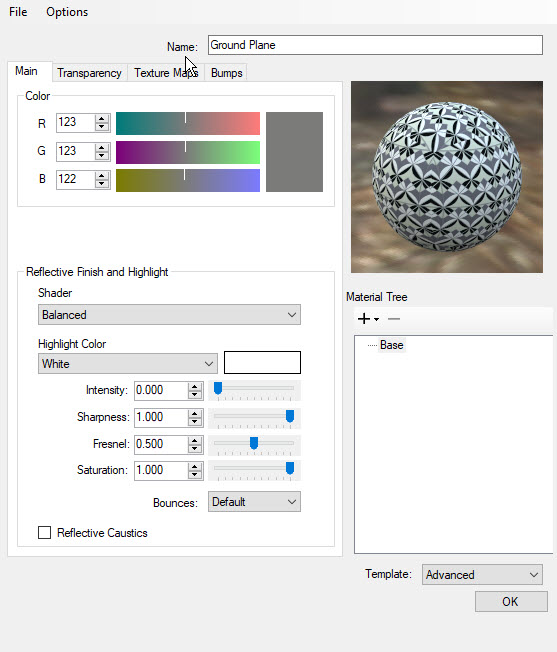
The Advanced button loads the nXt Advanced Material Editor which allows you to place additional, advanced settings on your material.
Some of the tabs are the same as the Tab section of the Material Wizard. Some of the tabs have additional features.