
Ground Cover
| |||||
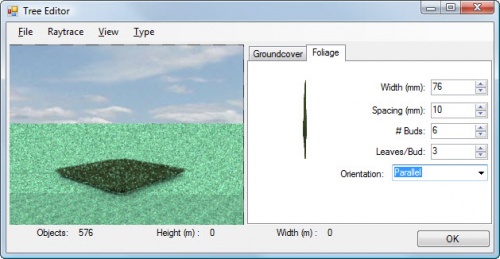
IRender nXt lets you define Ground Cover for use on the ground or on topiary bushes.
In about 2 hours we will post the first test version of Ground Cover.
As Rich and I were testing it I found a better way to implement it which we will put in the next version.
For now, you must:
A. Create a XXX.ArGroundCover file using Tree Maker.
B. Save the file somewhere
C. Use the Object Properties right -click on a surface to assign the Ground Cover to It.
D. Render it.
- To change it, you can load and resave the .ArGroundCover file with the Tree Maker, and re-render
- Give it a try and let us know if it works.
Define Ground Cover
- You MUST save a .ArGroundCover file before you can user your Ground Cover.)
To define a ground cover, right click on a face or surface to which you want to set ground cover, and select 'Set Object Properties'
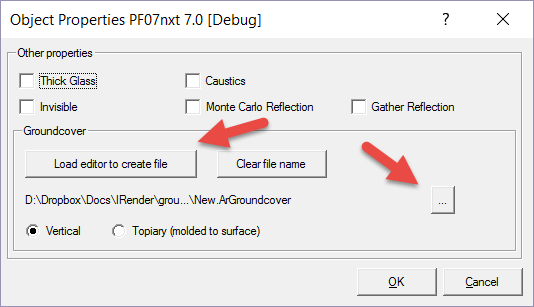
Click Load editor to create file to define a ground cover.
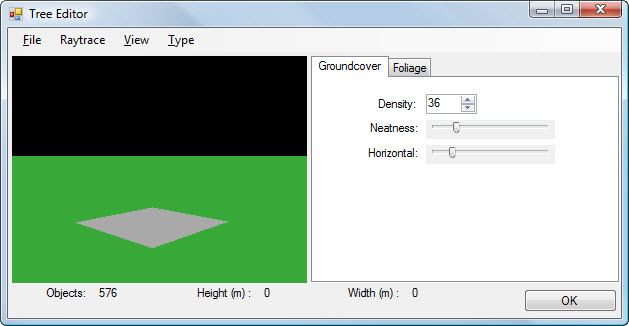
Ground Cover settings
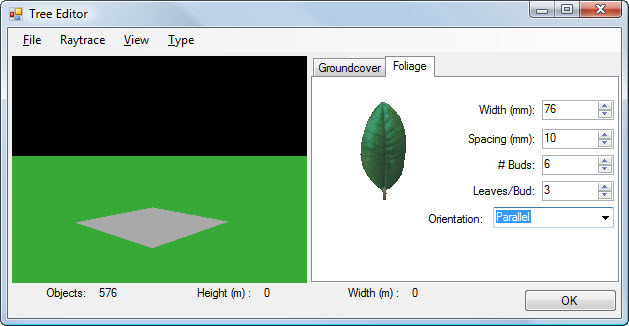
Foliage settings. Click on leaf to select a different leaf.
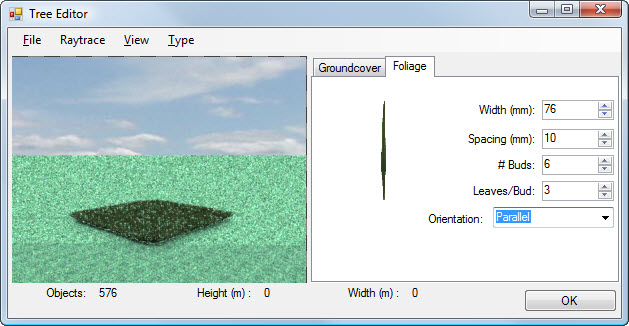
Rendered Ground Cover (in center) with a different leaf.
Click Start from the Raytrace menu if you want to see a sample of your foliage.
Save the ground cover .ArGroundCover file on the disk some place. (You MUST save a .ArGroundCover file before you can user your Ground Cover.)
Click OK.
Edit Ground Cover
If you click Load editor to create file after right clicking on a surface which already has a ground cover, the current ground cover will be loaded into the editor and you can change it, and save it with the same name or with a new name.
If you save it with a new name, that name will be applied to the surface.
Assign to surface
In the Object Properties Dialog Box, click the ... browse button and select the file you just created, (or a .ArGroundCover file you have created previously.)
Set the vegetation mode - Vertical for items which grow up from the ground, or Topiary for items which should be molded to a surface.
Notes
- Ground Cover is not fast. It creates 3D geometry for each leaf. It keeps your SketchUp model small and fast, (because there are no 3D leaves in the SketchUp model), but it can take a lot of time to render.